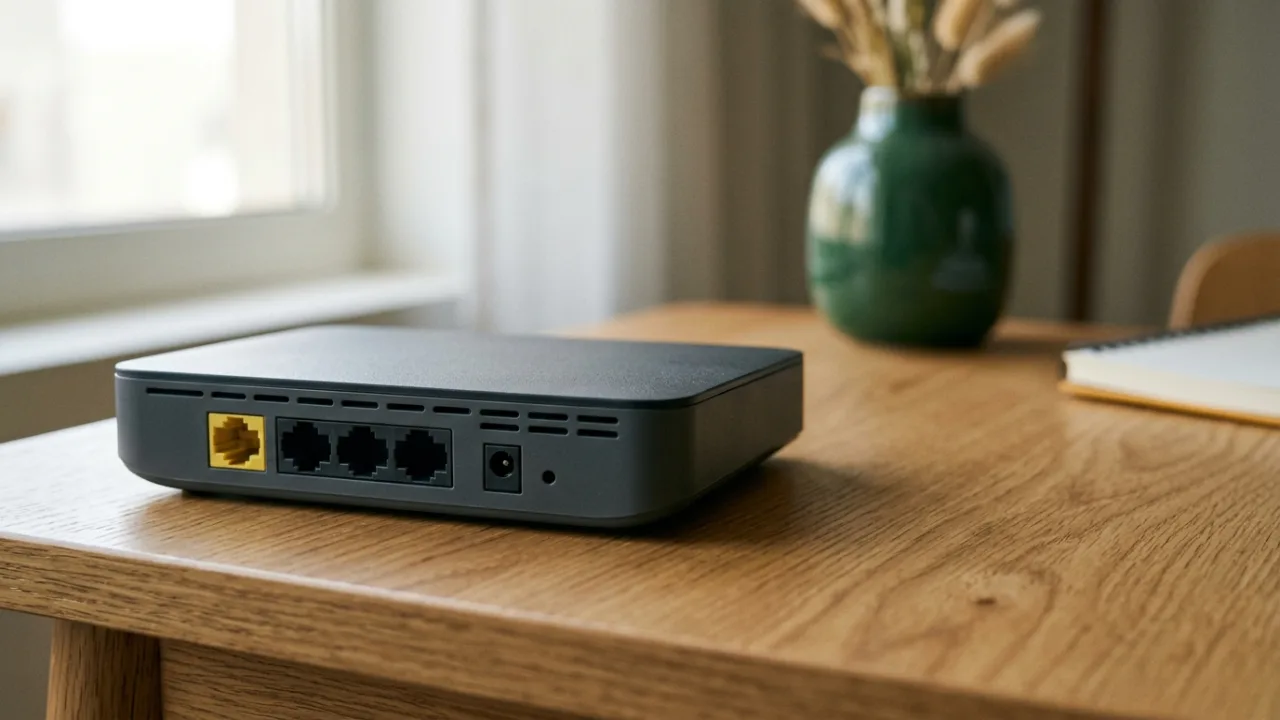
Router capabilities influence in-home Wi-Fi and device connectivity, but the actual model supplied depends on your Salam plan and applicable terms. Check wireless standard, ports, placement and equipment conditions rather than assuming every advertisement illustrates the supplied hardware.
Review Salam plan equipment details and verify address availability before subscribing.
- Deconstructing Retail Packaging Claims (What Do Labels Like AX3000 and BE9300 Actually Mean?)
- Wi-Fi Generations (Wi-Fi 5 vs Wi-Fi 6, 6E, and Wi-Fi 7) and Client Hardware Parity
- Radio Frequency Spectrums and Channel Widths (20MHz Through 320MHz)
- Wired Interface Topologies (WAN and LAN): When Does a Gigabit Port Become a Chokepoint?
- Spatial Stream Architectures and Antenna Arrays (MIMO, MU-MIMO, and Beamforming)
- Internal Architecture: Processors (CPU), System RAM, and Mitigating Bufferbloat
- Demarcation Reality: Service Provider ONT Gateways vs Third-Party Consumer Routers
- Spectrum Efficiency Protocols (OFDMA, BSS Coloring, and Target Wake Time)
- Cryptographic Security and Firmware Lifecycles (WPA3 and Vendor Support Longevity)
- The Smart Evaluator Matrix: Matching Hardware Capabilities to Your Broadband Subscription
- Saudi Residential Realities: How Reinforced Concrete and Villa Layouts Impact Router Specs
- Frequently Asked Buyer Questions (Router Specifications & Salam Plans)
1. Deconstructing Retail Packaging Claims (What Do Labels Like AX3000 and BE9300 Actually Mean?)#
The single most ubiquitous trap ensnaring prospective buyers is assuming that product tier designations (such as AX3000 or BE9300) represent the bandwidth delivered directly to an individual laptop or mobile handset.
A. The Aggregate Theoretical PHY Rate Reality#
- The prefix AX denotes the IEEE 802.11ax (Wi-Fi 6) standard, whereas BE indicates the latest IEEE 802.11be (Wi-Fi 7) protocol.
- The accompanying numerical rating is the mathematical summation of maximum theoretical burst speeds across all supported radio frequency bands simultaneously under sterile laboratory conditions:
- In an AX3000 router: Manufacturers sum the peak theoretical PHY rate of the 2.4 GHz band (~574 Mbps over 2 streams) and the 5 GHz band (~2,402 Mbps over 2 streams on a 160MHz channel). The arithmetic sum (2,976 Mbps) is rounded up to "3000"!
- The Physical Bottleneck: A connected smartphone or laptop establishes an active wireless link over only one radio band at any given microsecond. Consequently, it is physically impossible for a single device to receive 3,000 Mbps from this unit. Real-world clean-spectrum transfer speeds on a flagship Wi-Fi 6 client typically range between 800 and 1,200 Mbps under pristine conditions.
2. Wi-Fi Generations (Wi-Fi 5 vs Wi-Fi 6, 6E, and Wi-Fi 7) and Client Hardware Parity#
A state-of-the-art wireless router cannot operate at peak capability in isolation from its associated client devices; Wi-Fi represents a bidirectional handshake governed strictly by the technical constraints of the least capable endpoint:
A. Architectural Generational Evolution#
- Wi-Fi 5 (802.11ac): An older legacy standard operating exclusively within the 5 GHz spectrum. Competent for entry-level plans (100–200 Mbps), it degrades rapidly when saturated by dense, multi-device households.
- Wi-Fi 6 (802.11ax): The contemporary standard bundled with service provider's optical fiber gateways. Introducing OFDMA across both 2.4 GHz and 5 GHz spectrums, it excels at managing 50+ concurrent domestic smart home devices without signal contention.
- Wi-Fi 6E (802.11ax 6GHz): Unlocks the pristine, uncrowded 6 GHz spectrum band, completely eliminating co-channel interference from neighbor access points and optimizing 500M to 1 Gbps broadband tiers.
- Wi-Fi 7 (802.11be): Introduces ultra-wide 320MHz channel allocations, 4096-QAM modulation, and Multi-Link Operation (MLO), enabling client devices to transmit and receive across multiple spectrum bands simultaneously to drive wireless latencies under 3 milliseconds.
B. Backward Compatibility Limitations#
Connecting a legacy Wi-Fi 5 laptop or smart television to a premium Wi-Fi 7 router forces that specific communication channel to revert to 802.11ac protocols, forfeiting advanced Wi-Fi 7 efficiency features for that device.
3. Radio Frequency Spectrums and Channel Widths (20MHz Through 320MHz)#
Wireless radio bands act as multi-lane transit avenues, and channel width defines the breadth of lanes dedicated to high-speed data payload transmission:
A. Spectrum Properties (2.4 GHz vs 5 GHz vs 6 GHz)#
- 2.4 GHz Spectrum: Delivers broad physical coverage and superior structural wall penetration. However, severe RF congestion from Bluetooth, microwave appliances, and neighboring networks limits throughput. Best reserved for low-bandwidth Smart Home (IoT) sensors.
- 5 GHz Spectrum: Delivers substantial throughput and low latency, but experiences rapid attenuation through solid concrete partitions. The optimal standard for primary smartphones, PCs, and 4K media devices.
- 6 GHz Spectrum: A pristine, interference-free spectrum allocation delivering maximum wireless throughput with zero legacy contention, requiring line-of-sight or close proximity to the gateway.
B. Channel Width Impact on Real Throughput#
- Legacy Wi-Fi operates primarily over 20MHz and 40MHz channel allocations.
- Wi-Fi 6 introduced standard support for 80MHz and contiguous 160MHz allocations, effectively doubling instantaneous client throughput.
- Wi-Fi 7 pushes boundaries to 320MHz channel bandwidth, enabling multi-gigabit wireless transport exceeding conventional copper gigabit cabling.
4. Wired Interface Topologies (WAN and LAN): When Does a Gigabit Port Become a Chokepoint?#
Many consumers overlook physical copper Ethernet port specifications on the router's rear panel, creating unintended network bottlenecks:
A. The WAN Port Interface#
- The Wide Area Network (WAN) port receives the incoming connection directly from service provider's Optical Network Terminal (ONT).
- The 1 Gbps Gigabit Bottleneck: If your residential subscription delivers 1 Gbps (1,000 Mbps), pairing it with a router featuring standard 1 Gbps WAN ports caps real-world throughput at roughly 940 Mbps due to TCP/IP transport packet overhead (~6%).
- To unlock the complete throughput of gigabit and future multi-gigabit optical fiber tiers, always specify hardware featuring a dedicated 2.5G Multi-Gigabit WAN port.
B. The LAN Port Array#
- Local Area Network (LAN) ports distribute wired data to desktop PCs, game consoles, network switches, and wired mesh nodes.
- Ensure all LAN interfaces support Gigabit Ethernet (1,000 Mbps) at minimum. Avoid obsolete budget hardware equipped with 100 Mbps "Fast Ethernet" ports that artificially strangle optical broadband.
5. Spatial Stream Architectures and Antenna Arrays (MIMO, MU-MIMO, and Beamforming)#
Wireless transmission capacity is heavily governed by multi-antenna signal processing technologies:
A. Understanding MIMO and MU-MIMO#
- MIMO (Multiple-Input, Multiple-Output): Defines the quantity of independent radio transceivers and antennas leveraged simultaneously for spatial stream multiplexing.
- A 2x2 MIMO specification denotes two independent transmit and receive paths.
- 4x4 MU-MIMO (Multi-User MIMO): An enterprise-grade architecture enabling the router to communicate with multiple distinct client endpoints simultaneously within the exact same millisecond, eradicating transmission queues during concurrent 4K streaming and competitive online gaming.
B. The Antenna Count Fallacy#
- The common consumer assumption that eight protruding plastic external antennas automatically outperform a compact enclosure with internal antenna arrays is engineering fiction.
- Internal high-power Front-End Modules (FEMs), low-noise amplifiers (LNAs), and sophisticated explicit beamforming algorithms—which dynamically concentrate RF energy directly toward the spatial coordinates of connected devices—determine real-world wireless quality far more than decorative plastic appendages.
6. Internal Architecture: Processors (CPU), System RAM, and Mitigating Bufferbloat#
A modern wireless gateway is not a simple analog transmitter; it is a high-performance embedded computer:
A. Central Processing Unit (CPU) Specifications#
- Modern routers incorporate multi-core 64-bit ARM processors (Dual-Core or Quad-Core units clocked from 1.5 GHz to 2.2 GHz from industry leaders such as Broadcom, Qualcomm, or MediaTek).
- Robust CPU computational power ensures the gateway routes millions of packets per second (PPS) effortlessly without thermal throttling, particularly when hardware-accelerated NAT, stateful inspection firewalls, and encrypted VPN tunnels are active.
B. System Memory (RAM) Allocation#
- Entry-level hardware featuring 128MB or 256MB of RAM frequently suffers from memory exhaustion when 30+ smart home clients establish simultaneous state connections.
- Premium units provide 512MB, 1GB, or more of DDR4 RAM, maintaining expansive Network Address Translation (NAT) tables and routing states indefinitely without requiring weekly manual power reboots.
C. Bufferbloat Mitigation and Smart Queue Management (SQM)#
Adequate CPU overhead enables the implementation of modern Smart Queue Management algorithms (such as CAKE or FQ-CoDel), which eliminate bufferbloat—preventing latency spikes and gaming lag when another occupant uploads large cloud backups or downloads software updates.
7. Demarcation Reality: Service Provider ONT Gateways vs Third-Party Consumer Routers#
Subscribers frequently wonder how their provider-issued equipment interacts with aftermarket hardware:
- The Optical Network Terminal (ONT / CPE):
- The authoritative boundary gateway provided and provisioned by service provider.
- Converts optical light pulses from incoming glass fibers into standard digital electrical signals. Its serial identity is registered within service provider's central Optical Line Terminal (OLT) and cannot be substituted with generic retail devices.
- The Third-Party Consumer Router:
- Connects to the ONT's Ethernet port via its WAN interface.
- Operates primary Wi-Fi broadcasting, internal DHCP IP assignment, and local client policy controls.
- For seamless integration, third-party routers can be configured in Access Point (AP) Mode to avoid Double NAT conflicts while delivering expanded wireless coverage.
8. Spectrum Efficiency Protocols (OFDMA, BSS Coloring, and Target Wake Time)#
Modern Wi-Fi revisions have incorporated revolutionary spectrum management mechanisms:
A. OFDMA (Orthogonal Frequency-Division Multiple Access)#
- In legacy Wi-Fi 5 networks, the router resembled a delivery truck transporting cargo for only one client device per transmission cycle, regardless of how tiny the data payload was.
- OFDMA subdivides each radio channel into miniature Resource Units (RUs), enabling a single transmission burst to carry data simultaneously for laptops, smartphones, and IoT devices, dramatically compressing packet queues and latency.
B. BSS Coloring#
- In densely populated apartment complexes, adjacent Wi-Fi networks share identical channels.
- BSS Coloring attaches a numerical "color" identifier to transmissions, allowing routers to ignore neighboring interference without stalling transmission cycles, improving dense environment efficiency by up to 40%.
C. Target Wake Time (TWT)#
- Orchestrates negotiated sleep schedules for battery-powered sensors and mobile handsets, dramatically reducing idle power consumption and preserving device battery lifespans.
9. Cryptographic Security and Firmware Lifecycles (WPA3 and Vendor Support Longevity)#
The wireless router represents the digital perimeter guarding your family's personal data, smart home devices, and banking transactions:
A. Modern WPA3-Personal Security#
- WPA2 is increasingly susceptible to offline dictionary attacks and handshake vulnerabilities.
- WPA3-Personal enforces Simultaneous Authentication of Equals (SAE), preventing brute-force password cracking and providing robust forward secrecy across individual client sessions.
B. Firmware Maintenance and Security Patching#
- Prior to purchasing retail hardware, investigate the vendor's historical firmware patch cadence and vulnerability response record.
- Orphaned routers that cease receiving security patches become open attack vectors. Carrier-grade equipment provided through service provider subscriptions benefits from continuous carrier-monitored firmware updates adhering to CST cybersecurity frameworks.
10. The Smart Evaluator Matrix: Matching Hardware Capabilities to Your Broadband Subscription#
Follow this practical engineering framework to match router hardware with domestic broadband requirements:
- For Entry-Level Fiber Subscriptions (100–300 Mbps) in Apartments:
- A dual-band Wi-Fi 6 (AX3000) router equipped with Gigabit Ethernet ports and a dual-core processor delivers flawless coverage and value.
- For High-Demand Households (500 Mbps) in Multi-Story Properties:
- Deploy a tri-band Wi-Fi 6 or 6E (AX5400 to AX6000) router supporting 160MHz channels, or an interconnected wired mesh system.
- For Gigabit Subscriptions (1 Gbps+), Online Gamers, and Power Users:
- Invest in hardware featuring 2.5G Multi-Gigabit WAN and LAN interfaces, a quad-core ARM processor, 1GB of RAM, and Wi-Fi 6E or Wi-Fi 7 with WPA3 encryption.
Hardware Specification Comparison Table by Plan Tier and Property Type#
| Subscription & Property Profile | Recommended Wi-Fi Standard | Wired Ethernet Ports | CPU & Memory Baseline | Optimal In-Home Distribution Strategy |
|---|---|---|---|---|
| Single-Level Apartment (Up to 300 Mbps) | Dual-Band Wi-Fi 6 (AX3000) | 1G WAN + 1G LAN ports | Dual-Core ARM + 256MB–512MB RAM | Single centrally positioned router away from thick partitions |
| Large Apartment or Duplex (500 Mbps) | Tri-Band Wi-Fi 6 / 6E (AX5400+) | 1G/2.5G WAN + 1G LAN ports | Tri/Quad-Core + 512MB RAM | 2-node Mesh system using Cat6 wired or dedicated 5GHz backhaul |
| Multi-Story Villa or Gigabit Tier (1 Gbps+) | Tri-Band Wi-Fi 6E / Wi-Fi 7 | 2.5G WAN + at least one 2.5G LAN | Quad-Core ARM + 1GB RAM | Hardwired ceiling Access Points (APs) or wired Mesh per floor |
| Salam HomeFi 5G Broadband | 5G CPE Gateway with Wi-Fi 6 | Gigabit LAN ports for internal expansion | Integrated 5G NR modem with Carrier Aggregation | Position 5G CPE near an exterior window; link via Ethernet to indoor Mesh if needed |
11. Saudi Residential Realities: How Reinforced Concrete and Villa Layouts Impact Router Specs#
Advertised router coverage is benchmarked in open layouts, whereas homes across Riyadh, Jeddah, and Dammam use heavy construction materials that alter wireless propagation:
- Reinforced Concrete Slabs and Rebar: Steel-reinforced concrete partitions and metal doors attenuate 5 GHz and 6 GHz signals by 12 to 25 dB across two walls. Because statutory
EIRPlimits cap transmit power, multi-story Saudi villas require distributedMeshnodes or ceilingAccess Pointslinked viaCat6jacks rather than a single oversized router. - Covering the Majlis and Courtyard Annex (Mulhaq): While the
ONToften sits near the main entrance, heavy usage happens in the majlis or an external mulhaq separated byLow-Einsulated glass. Running an Ethernet cable through the boundary conduit to a dedicated access point inside the annex guarantees full throughput. - Verifying Plan and Equipment Fit on TayfConnect: Check your National Address on /coverage for Salam Fiber (/fiber) or Salam HomeFi 5G (/5g), inspect included router details and contract terms on /packages and /offers, and use /choose or /contact before ordering.
12. Frequently Asked Buyer Questions (Router Specifications & Salam Plans)#
Q1: Can I unplug the Salam Fiber ONT and connect the optical cable directly into a gaming router?#
A: No. Retail routers lack an SC/APC optical transceiver, and the Salam ONT holds an authenticated serial registered with the neighborhood OLT. Keep the ONT connected to the fiber outlet and link your router via Cat6 Ethernet.
Q2: Where should I place a Salam HomeFi 5G router if the best cellular signal is far from the living room?#
A: Place the 5G gateway near an upper window facing the serving tower for maximum cellular signal, then connect it via Ethernet to an indoor Wi-Fi 6 mesh system or access point.
Q3: Will buying an AX5400 or Wi-Fi 7 router increase my speed beyond my subscribed plan tier?#
A: It eliminates local indoor wireless bottlenecks across rooms, but cannot exceed the upstream bandwidth provisioned by your Salam tier on /packages.
Q4: When is a Tri-Band Mesh kit worth the upgrade over Dual-Band?#
A: When your villa lacks Ethernet wall cabling; Tri-Band Mesh dedicates a third independent radio to wireless backhaul between nodes so client speeds do not drop by half.
Internal links#
- /compare — Compare residential Fiber Broadband (FTTH) packages and carrier-grade Wi-Fi routers
- /knowledge/wifi-6-vs-6e-vs-7 — Exhaustive technical guide to Wi-Fi 6, 6E, and Wi-Fi 7 architectures (K15)
- /knowledge/mesh-vs-extender-vs-access-point — Architectural comparison of mesh networks, extenders, and APs (K17)
- /knowledge/router-placement-home-wifi — Router positioning strategies to eradicate dead zones (K05)
- /knowledge/fttr-whole-home-connectivity — Transparent optical fiber to every room with whole-home FTTR (K11)
- /knowledge/new-home-internet-setup-checklist — Structured cabling and conduit design for new homes (K24)
Editorial source review#
All technical specifications, wireless protocol benchmarks, and hardware architectural frameworks in this guide have been validated against IEEE 802.11 standards, Wi-Fi Alliance certification guidelines, and CST technical specifications for telecommunications customer-premises equipment (CPE). Reviewed and approved by the network engineering technical desk.