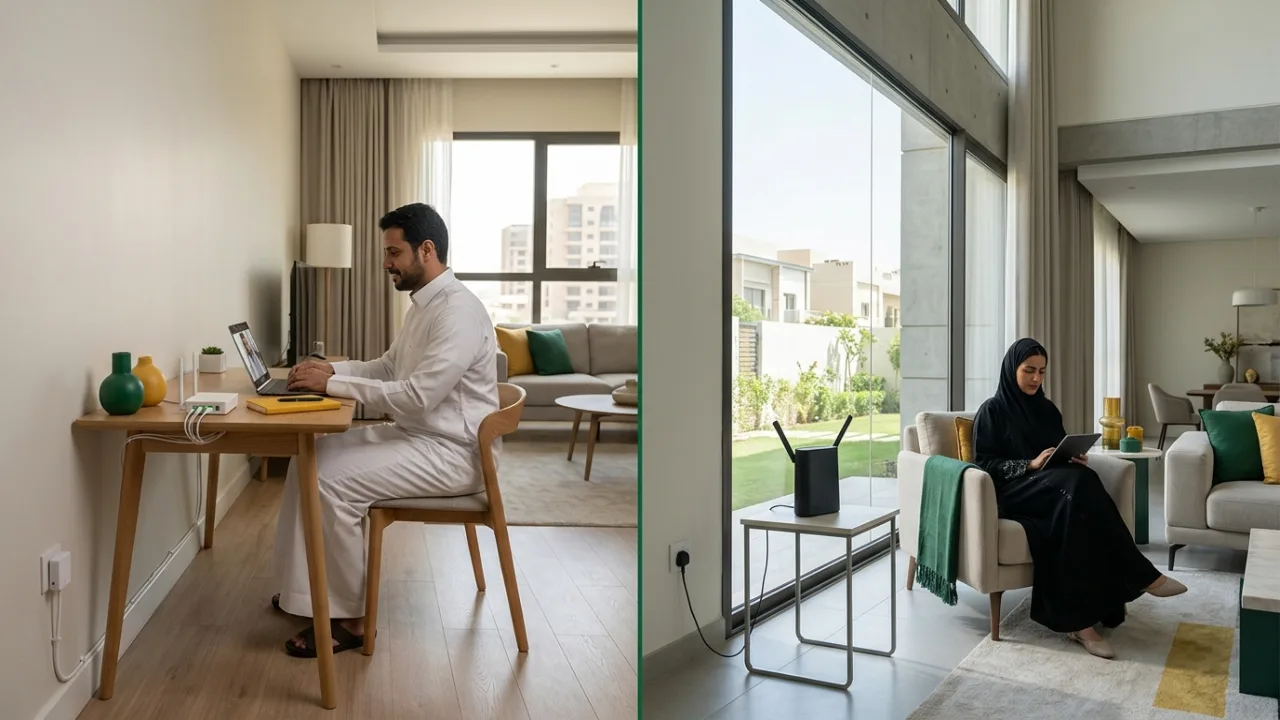
Choosing between Salam Fiber and HomeFi 5G? Start with what your address can actually receive. Fiber may suit homes with heavy, continuous streaming, gaming and remote work where optical coverage exists; HomeFi 5G can be practical when local wireless coverage is strong. Neither is automatically best everywhere.
Next step: Check Salam coverage, then compare eligible plans by speed, price, equipment and terms. Tayf Connect can help you decide and begin a subscription request.
- The fundamental difference
- Why coverage comes first
- Consistency, speed and latency
- Installation and setup
- Gaming, streaming and working from home
- Router and in-home Wi-Fi
- Price, promotions and commitment
- When Fiber may fit
- When 5G may fit
- Pre-order checklist
1. The fundamental difference #
Fiber is fixed access delivered through an optical network to the building or home according to the local network design. Once service is available, the access path is fixed and the router or home Wi-Fi system distributes connectivity to devices.
5G home internet is fixed wireless access. Its experience depends more directly on radio coverage and conditions at the service location. Outdoor coverage, indoor signal, router placement, building materials and network conditions can all influence performance.
The practical comparison is therefore not simply “cable versus wireless.” It is a comparison of availability, plan terms, equipment, installation, home networking and usage.
2. Why coverage comes first #
Before comparing price or headline speed, confirm that the service is eligible at the actual address. Fiber needs fixed-network availability. 5G needs a suitable radio footprint plus whatever location rules apply to the current service.
If the available evidence is inconclusive, a truthful result is “verification required,” not a confident availability promise.
3. Consistency, speed and latency #
Headline download speed matters, but it is not the complete experience. A fixed Fiber path is generally less dependent on changing outdoor radio conditions, although the device experience can still be limited by Wi-Fi placement and in-home interference.
5G performance may vary more with location and radio conditions. That does not make it unsuitable; it means location validation is part of the product decision.
For gaming and calls, consider latency, jitter and packet loss. For uploads, cloud backup and video meetings, review upload performance where the current package source makes it available.
4. Installation and setup #
A Fiber journey can include address qualification, order processing, an installation appointment and activation. Knowing the stages helps set realistic expectations and makes tracking easier.
5G home service can have a different setup model, but a simpler physical setup does not guarantee equal performance in every room. Router position remains important.
Use current governed plan data for equipment, fees, commitment and installation rules instead of relying on generic marketing language.
5. Gaming, streaming and working from home #
For busy households, think about concurrent activity rather than the raw number of connected devices. Gaming depends heavily on consistency and latency. Video calls and cloud work can make upload performance important. Streaming across several rooms makes in-home Wi-Fi design part of the equation.
The right plan is therefore a combination of access technology, package, router, Wi-Fi design and where the demanding devices are used.
6. Router and in-home Wi-Fi #
A weak result in a distant room does not automatically mean the internet service itself is poor. The access line may be healthy while Wi-Fi is limited by distance, walls or interference.
That distinction applies to both Fiber and 5G. Larger homes may benefit from Mesh, wired access points or FTTR where it is genuinely available and appropriate.
7. Price, promotions and commitment #
Do not compare plans using promotional price alone. Review the current price, VAT, offer duration, renewal or normal price where documented, commitment, included equipment, installation or one-time fees, location/eligibility rules and any other current conditions.
Unknown values should remain unknown until verified. “Not specified” is more useful than an invented “free,” “unlimited” or “no commitment” claim.
8. When Fiber may fit #
Fiber may be a strong fit when it is genuinely available and your household values consistent connectivity for heavier everyday use, multiple users or a long-term fixed setup. The exact plan and conditions still matter.
9. When 5G may fit #
5G may be a practical choice when coverage is suitable, Fiber is unavailable, or the available wireless service model fits the household. Treat coverage as location-specific and optimize router placement rather than assuming every room will see the same result.
10. Pre-order checklist #
Confirm:
- Coverage or verification state.
- Service technology and plan name.
- Price, VAT, promotion and post-offer pricing where available.
- Download/upload facts from the governed plan record.
- Router/equipment.
- Commitment and one-time fees.
- Installation or activation steps.
- Correct service address and contact data.
- Order-tracking expectations.
- A clear help channel for unresolved questions.
A practical decision matrix: when fiber or 5G makes more sense #
Replace “which technology is faster?” with a better question: which access type solves the needs of this address with the fewest compromises? Coverage, household load, mobility, indoor networking, and sensitivity to latency all matter.
| Household scenario | What matters most | Sensible starting point |
|---|---|---|
| Fixed family home with streaming, gaming and remote work | consistency, simultaneous capacity, strong home network | check fiber availability first, then compare terms |
| Temporary housing or frequent moves | deployment flexibility | 5G can be practical when signal quality is stable at the property |
| Competitive gaming and important video calls | latency consistency, not headline speed alone | test fiber first where available and compare real measurements |
| No current fiber availability | service availability now | evaluate 5G carefully at the exact location |
| Small apartment with one or two users | right-sized capacity | avoid paying for a higher tier before measuring real demand |
| Large villa or multiple floors | indoor distribution | plan Mesh, access points or FTTR separately from the access plan |
This is not a claim that every fiber line beats every 5G connection. Network loading, implementation quality, router placement, client hardware and package terms can change the outcome.
Five real household scenarios #
1. A busy family home #
A TV may be streaming while a console is online, a work call is active and cloud backup is uploading. The useful question is not simply “300 or 500 Mbps?” It is how the whole connection behaves under simultaneous load. Upload capacity, router behavior and Wi‑Fi design matter alongside the access speed.
2. A home where internet is part of the job #
Developers, designers, consultants and frequent video-call users value predictability. A short interruption or unstable upstream path can cost more than the price difference between two plans. Compare stability at the address, upload characteristics, wired connectivity options and your contingency plan.
3. An online gamer #
A larger download number does not guarantee a better match. Establish an Ethernet baseline, then observe ping, jitter and loss during the hours you actually play. If the bottleneck is home Wi‑Fi, changing the subscription tier alone will not remove it.
4. A renter who needs flexibility #
5G can reduce infrastructure dependency, but do not make the choice from a single phone speed test. Test the actual router position, evening conditions and the devices you will use. Read location or equipment restrictions in the current offer before subscribing.
5. A large property with weak room coverage #
Excellent fiber can still feel poor in a distant bedroom. Treat the decision as two separate layers: the access connection into the property and the network that distributes it inside. K05, K11 and K17 cover the second layer in depth.
Compare total cost, not just the first monthly price #
A useful comparison includes the total cost of using the service:
- normal price after any introductory promotion;
- commitment period and cancellation or relocation terms;
- device charges or installments stated in the current offer;
- the possible cost of Mesh, wired access points or Ethernet cabling;
- whether work requires a backup connection;
- what happens if you move;
- whether the service or device is location-bound.
A lower monthly headline can be a worse fit if it creates substantial extra networking cost later.
A 30-minute 5G evaluation routine #
When 5G is a serious option, use a repeatable test instead of one impressive screenshot:
- Try several realistic router positions, especially open areas near suitable windows.
- Test more than once and include the time period when the household is busiest.
- Run a video call, upload or game test as well as download measurements.
- Judge consistency, not the single highest result.
- Test Wi‑Fi in the rooms where the service will actually be used.
- Record the observations and compare them with the current package terms.
For fiber, start with address qualification and then review the installation journey in K03.
Purchase questions that prevent avoidable surprises #
Before submitting an order, you should know:
- Is service availability confirmed for this address or still under review?
- What is the base price, promotional price and duration of the promotion?
- What download and upload speeds are published for the plan?
- What commitment, cancellation and relocation conditions apply?
- Which devices are included in the current offer?
- Are installation or equipment charges stated?
- Is a 5G service tied to a specific location?
- Who owns each step after the order is submitted?
- Is your actual problem access speed or weak in-home Wi‑Fi?
Use /packages, /compare and /coverage as one decision flow rather than treating individual marketing claims as isolated facts.
How Saudi Residential Architecture Shapes the Fiber vs 5G Decision #
In cities across Saudi Arabia—such as Riyadh, Jeddah, Dammam, and Khobar—building materials, floor layouts, and family living patterns strongly influence how Salam Fiber and HomeFi 5G perform in daily life. Evaluating your property type alongside package specifications prevents costly mismatches:
- Multi-Story Concrete Villas and Townhomes: Most Saudi villas are built with thick reinforced concrete walls, structural columns, and heavy floor slabs separating ground-floor family lounges from upstairs bedrooms and rooftop annexes. With Salam Fiber, the optical termination point brings a stable physical line directly into the home, which can then feed wired Ethernet conduits or a multi-node Mesh network across floors. With HomeFi 5G, placing the router near an exterior window to capture the cleanest outdoor cellular signal may leave the device far from the geometric center of the villa, requiring planned indoor Wi-Fi distribution so distant rooms do not suffer.
- External Majlis, Diwaniya, and Courtyard Annexes: Many households host gatherings, watch live 4K football broadcasts, or run gaming consoles in an external majlis or annex separated from the main structure. If conduits exist between the main house and the annex, running an Ethernet cable from a Fiber router to a dedicated access point in the majlis delivers rock-solid stability. Where trenching or cabling is impractical, evaluating whether a 5G router achieves strong reception directly inside the annex can offer a practical alternative.
- Rental Apartments vs Owned Properties: Residents living in rental apartments who anticipate relocating within a year, or those moving into newly developed districts where optical distribution boxes are not yet active, often value the rapid setup of HomeFi 5G—provided indoor signal quality is verified at the apartment windows. Conversely, homeowners and long-term tenants in fiber-ready buildings typically favor Salam Fiber as permanent household infrastructure that remains insulated from outdoor radio congestion.
- Summer Evenings, Ramadan, and Peak Household Load: Across Saudi households, internet demand peaks sharply during evening hours (typically 8 PM to midnight), summer school holidays, and Ramadan nights, when multiple 4K smart TVs, online gaming consoles, cloud backups, and smartphones operate concurrently. Optical fiber excels at holding steady latency and upstream capacity under heavy simultaneous household load, while 5G users benefit from careful router positioning to maximize signal quality during busy evening sector hours.
Step-by-Step Subscription Decision Flow on Tayf Connect #
Instead of guessing which technology fits your home or relying on generic promotional banners, follow this structured verification sequence on Tayf Connect before submitting your request:
| Decision Step | Tayf Connect Page | What to Verify Before Proceeding |
|---|---|---|
| 1. Check Address Eligibility | /coverage | Enter your exact address or national location details to confirm whether Salam Fiber is active at your building, whether HomeFi 5G is eligible, or whether manual verification is required. |
| 2. Review Optical Fiber Tiers | /fiber | Inspect available Salam Fiber speed tiers, published download and upload capacities, and documented router hardware for your household load. |
| 3. Review 5G HomeFi Options | /5g | Examine Salam HomeFi 5G plans, 5G router specifications, and any location or eligibility rules tied to wireless home service. |
| 4. Compare Full Commercial Terms | /packages & /compare | Compare monthly pricing inclusive of VAT, promotional duration versus post-offer base pricing, contract commitment length, and any documented installation or equipment terms. |
| 5. Request Pre-Order Guidance | /contact | Share your property layout, active screen count, and gaming or remote-work priorities with Tayf Connect so our team can guide you to the right Salam subscription request. |
Frequently Asked Buyer Questions (FAQ) #
Can I start with HomeFi 5G now and switch to Salam Fiber later if optical coverage reaches my street? #
Many households in newly built neighborhoods use 5G home internet while waiting for fixed fiber infrastructure to be completed. However, switching is not automatic: before subscribing to any plan on /packages, review the documented contract commitment period and early termination or modification conditions so you know exactly how a future transition would work.
Which option is more reliable for live 4K sports streaming and IPTV on multiple screens? #
Live sports broadcasts use much smaller playback buffers than on-demand movies, making them highly sensitive to sudden throughput drops and packet jitter during evening peak hours. Where Salam Fiber is available at your address, its dedicated optical path offers highly predictable stability for multi-screen 4K streaming. If you use HomeFi 5G, place the router where SINR and signal reception are strongest and connect your primary living-room TV via Ethernet or a clear 5 GHz Wi-Fi link.
How does upload performance differ between Salam Fiber and HomeFi 5G for remote work? #
Fiber connections generally provide high, consistent upstream capacity that supports simultaneous Zoom or Teams video conferences, large CAD or media file uploads, and continuous cloud backups without choking downstream traffic. On 5G, upstream traffic must travel from the indoor router's antennas back to the cellular tower, meaning thick walls or weak indoor placement can constrain upload speeds more noticeably than download speeds.
What does it mean if /coverage shows that my address needs verification? #
A "verification required" status means the automated coverage records cannot confirm immediate activation certainty without checking building-level details—such as whether an optical termination box is installed and active on your property. Rather than assuming Fiber is impossible or guaranteed, contact Tayf Connect via /contact with your location details so we can help clarify your actual options.
Will choosing Fiber over 5G automatically fix weak Wi-Fi in upstairs bedrooms? #
No. Fiber determines how internet reaches your home, not how wireless radio waves penetrate concrete floors inside it. Whether your incoming line is Salam Fiber or HomeFi 5G, a single router tucked inside a ground-floor cabinet will struggle to cover upstairs bedrooms or an external majlis. Always pair your subscription choice with proper router placement or multi-node indoor coverage when living in a large property.
Conclusion #
Fiber and 5G are not a contest with one universal winner. Fiber starts with fixed-network availability; 5G starts with radio suitability at the location. After coverage, compare the actual plan and then the in-home network. That order produces a clearer decision than choosing from technology labels alone.
Internal links #
/fiber · /5g · /coverage · /compare · /choose · K04 · K05 · K09
Editorial source review #
Before publishing or materially updating, review current CST context, governed service provider package/coverage facts, and relevant standards/industry terminology. Do not freeze time-sensitive commercial values in this article.